Case Study
Compass Mapper
Replacing an open-ended, field-rep-dependent mapping process — that could take days or months — with a self-serve experience customers complete independently in under a day. Designed end-to-end: from research and wireframes through final UI.
The Problem
Customers couldn't map their own farm blocks without Bluewhite support. The process had no defined timeline — it depended entirely on field-rep availability, and could stretch from days to months. There was no customer-facing tool for it.
The Outcome
A new native app within the Compass suite — from block creation to LiDAR-based entry/exit point generation — that customers complete independently in under 1 day, with no Bluewhite field presence required.
Self-serve
Mapping that no longer depends on rep availability
0
Field reps required for end-to-end mapping
1 day
Target: full block mapped independently, start to finish
01 — The Problem
Customers couldn't map independently
No customer-facing tool existed. Every new block required a rep on-site — customers had no way to start or complete mapping independently.
The timeline was unpredictable. Entirely dependent on rep availability — it could stretch from days to months. Customers just waited.
Fixed routes, no operational flexibility. The new mapping method changed this — giving operators full freedom over where to start, end, and how to run a field.
Side project
The new mapping method also required a companion update to the Control app — where operators actually run field tasks. A new flow was designed to support the more flexible route type that the new mapping produced, replacing the old fixed-route interaction model.
02 — Define & Frame
The problem, sharpened
Problem Statement
Bluewhite customers need a way to map their own farm blocks independently — because every mapping requires a rep on-site and has no predictable timeline, stretching from days to months — so they can onboard new blocks in a matter of hours, on their own schedule, without depending on Bluewhite availability.
What I needed to design
A complete information architecture for an app that didn't exist — defining how farms, blocks, recordings, and mapping results relate and how users navigate between them
A UX model for a three-step sequential process where each step is hard-gated on the previous — making the structure legible without making it feel like a wall
A recording experience that communicates health, progress, and validation in real time — for users physically in the field, on a tractor, under variable conditions
A post-processing interface that lets customers review and filter a LiDAR map before generating entry and exit points — a novel interaction with no existing pattern to reference
A new flow in the Control app to support the more flexible route type produced by the new mapping — designed in parallel as a companion project
03 — Research & Insights
How the process was built
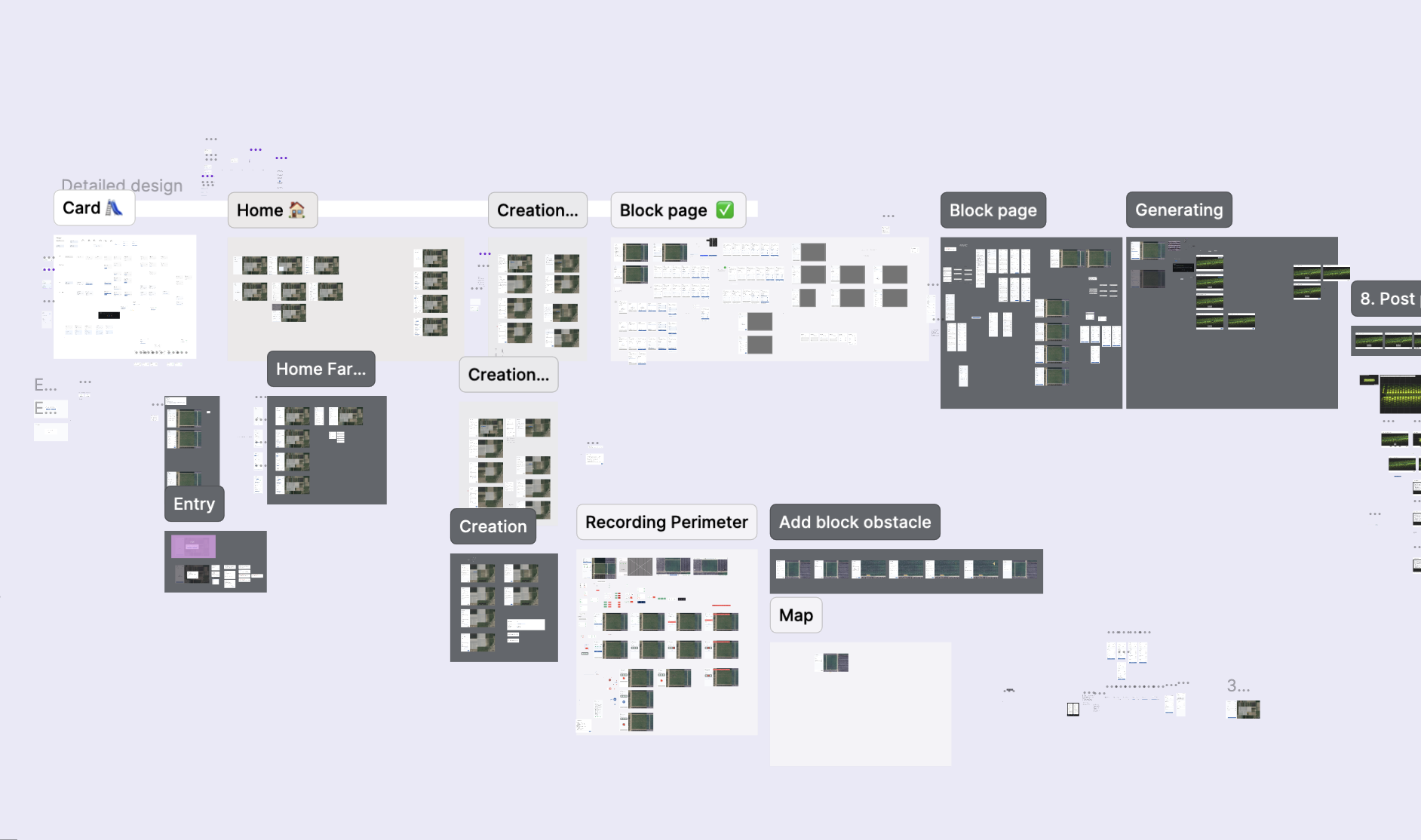
No prior app, no existing flow to reference. The process moved in stages — each step informed the next before moving forward.
Brief & alignment
Wireframes
Screens & benchmark
User checks
Field validation
What the process confirmed
01
Progress visibility was the right bet. The comprehension checks on screens confirmed that users needed to see where they were in the process at every layer — not just at the top level. This validated the push toward multi-layer progress: farm, block, and step level simultaneously.
02
The sequential structure held under real conditions. Field testing showed that operators knew what to do at every step without guidance — the gated flow and progress design translated from screen to field without friction.
03
Zero errors or failed recordings in the first field test. The health-gated recording start — blocking the drive until RTK, LiDAR, and system indicators were green — prevented wasted effort before it happened. The decision to surface failure conditions upfront, not after, paid off in the first real use.
Detail
The block page, in detail
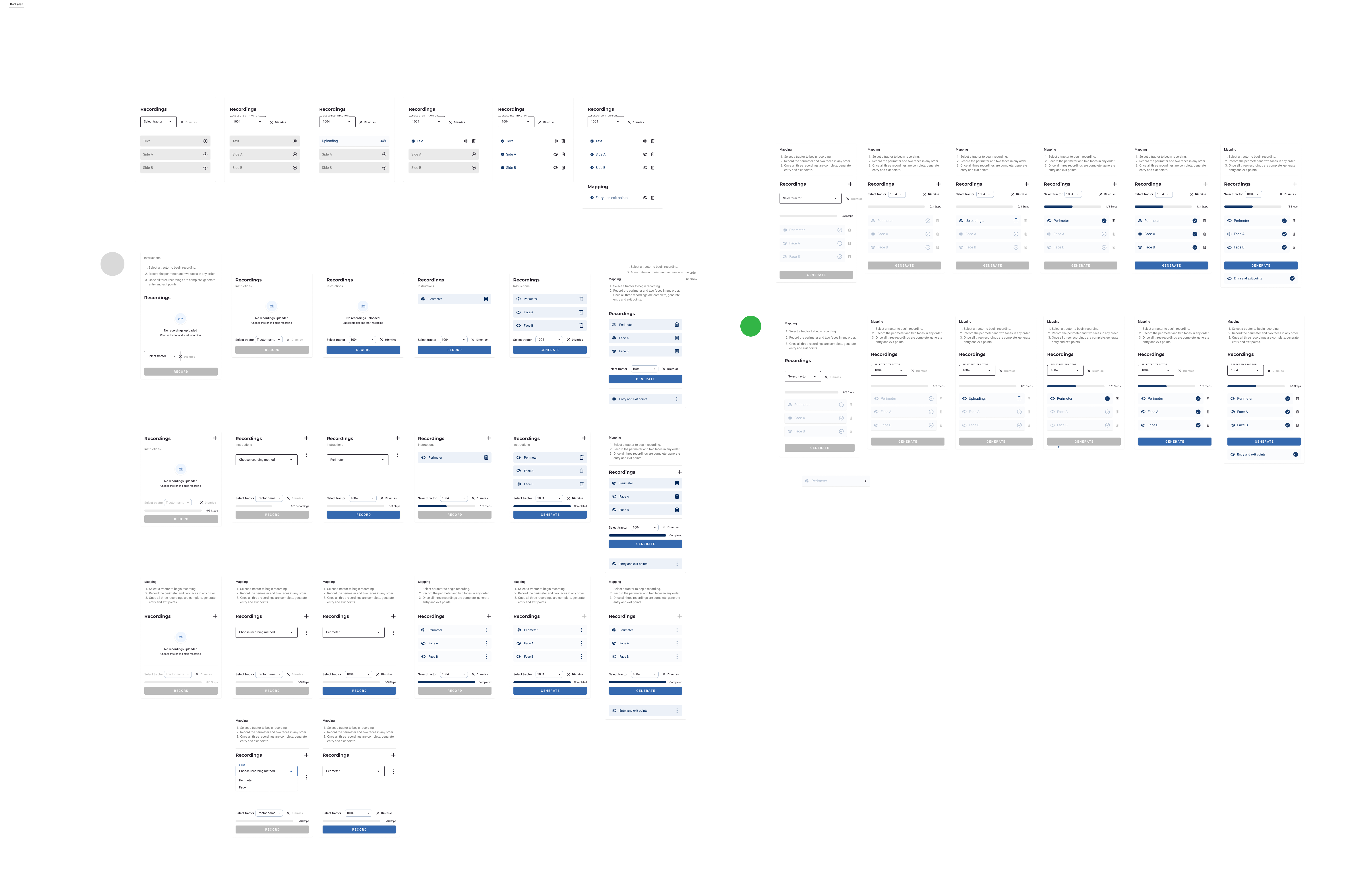
The block page was the screen that took the longest. It had to do too much at once — show which tractor was selected, which recordings already existed, which step the user was on, and what was blocking them from moving forward. The gated step logic was the hard part: at any given moment, a user could be looking at a state where they couldn't continue, and the screen had to make it obvious why. Add development constraints on top of that, and most of my versions failed one of those three things.
04 — Visual Research & Benchmark
Research across every part of the flow
The central design challenge across the whole product was progress — how to show the mapping steps at the farm page level, make the sequential flow legible, and communicate completion state at every layer. But each part of the product had its own distinct research question, and the benchmark work followed that.
Sequential progress & step visibility. The main research area. How do other products represent steps that unlock progressively — and how do they make a constrained, gated sequence feel achievable rather than blocked? This shaped the farm page, the block page, and the overall flow structure.
Recording screen — designed for tractor use. The recording screen had a specific constraint: the user is physically driving on a tractor while using it. This meant buttons needed to be large enough to operate without precision, and health indicators had to be immediately readable at a glance. References here focused on active recording and processing states, and how products communicate live system status clearly under real-world conditions.
Map interactions & editing. Any step in the app where the user interacts with the map — block creation, geofence drawing, viewing layers — required its own benchmark research. References covered map editing patterns, layer controls, and spatial interaction models across mobile and web products.

Benchmark research across mobile and web products — covering progress patterns, recording states, and map interaction models.
05 — Ideation & Decisions
Designing for a gated, sequential process
Key design decisions
Three steps, in sequence. Record perimeter + two faces → generate entry & exit points → choose the first row. Each step unlocks only when the previous is complete. The block is then ready for autonomous operation.
Block-level status on the home page. Each block card shows its mapping state at a glance — recordings done, whether entry/exit points exist.
Real-time map progress during recording. The tractor's live path builds on the map as the user drives — users see it working, not just a spinner.
Legacy block coexistence. Old-method blocks appear alongside new ones with a distinct UI — keeping existing farms working while introducing the new flow gradually.
06 — The Solution
How the app works
Compass Mapper is built across four connected surfaces within the Compass suite.

The home page gives a complete overview of every block on the selected farm — both blocks mapped with the new flow and legacy blocks — with clear indicators for recording and mapping completion status.
Block Creation

Block Creation

The block creation flow — selecting location, setting the geofence, and confirming entry.

Live path builds on the map as the user drives. Start/Stop is only enabled when all health indicators are green — preventing a failed recording before it starts.
Block View

Recording States

The recording states — showing the block page across its key states during and after a mapping session.
Completed

The block page recording states — empty, uploading (with upload failure state), and completed recording.
07 — My Role
Full product design — research to shipped UI.
Both the app and the capabilities it exposed were new. I owned the full design process — from understanding the problem through to final UI, across every screen, flow, and edge case.
Research & discovery
Worked with PMs and field engineers to understand the technical constraints and user pain before touching a wireframe.
Wireframes & design reviews
Led design reviews with product and engineering — iterating until the concept was technically feasible and the flow held end-to-end.
UX & UI design
Designed every screen within the Compass design system — from the farm overview to the post-processing interface — and owned the final handoff to engineering.
This was my first product in the Compass suite owned entirely end-to-end — new features, new app, full design responsibility from day one.
08 — Outcomes & Impact
Validated in the field
After launch, the app was tested with real operators in real farm environments — the first time the complete flow ran end-to-end outside of controlled conditions.
Self-serve
Customers mapped blocks entirely on their own — no Bluewhite involvement at any step
Intuitive
No errors or failed recordings in the first field test — the flow held from day one
1 day
Full block mapped independently — down from a process that could stretch months
Project Summary
Compass Mapper replaced a rep-dependent, open-ended process with a self-serve experience customers complete independently in under a day. Designing it end-to-end — from research and IA through final UI — meant solving for a sequential, gated flow with no existing pattern to reference, real-time field feedback, and a novel post-processing interface. The first field test validated the approach: operators completed the full flow without instruction, without errors, and without any Bluewhite involvement at any step.